Showing posts with label finding. Show all posts
Showing posts with label finding. Show all posts
Monday, May 15, 2017
Kali Linux Tutorial Finding Exploits Using the Searchsploit Tool
Kali Linux Tutorial Finding Exploits Using the Searchsploit Tool

What is Vulnerability Exploit?
Words like "exploit" and "vulnerability" are tightly bound together. Often, a script/program will exploit a specific vulnerability. Since most vulnerabilities are exploited by script kiddies, the vulnerability is often known by the name of the most popular script that exploits it. In any case, there are broad-spectrum vulnerability scanners/assessment tools that will scan a system and look for common vulnerabilities. These are often used in order to toughen up a computer system.
In computer security, the term vulnerability is applied to a weakness in a system that allows an attacker to violate the integrity of that system. Vulnerabilities may result from weak passwords, software bugs, a computer virus or a script code injection, and a SQL injection.
Introduction
When we are looking for ways to hack a system, we need a specific exploit to take advantage of a certain vulnerability in the operating system, service, or application.
Remember, exploitation is very specific, there is no one silver bullet that will allow you to exploit all systems. You need to find an exploit that will specifically take advantage of a vulnerability in the system that you are attacking. That is where the Exploit Database (www.exploit-db.com) can be so incredibly useful.
EDB is a project of Offensive Security, the same folks who developed BackTrack and Kali Linux, which includes exploits categorized by platform, type, language, port, etc. to help you find the exploit that will work in your particular circumstance. Then, if you feel it will work on your target, you can simply copy and paste it into Kali for your attack.
Must read: An Introduction To Hacker’s OS: Kali Linux Setup Tutorial
Step 1: Fire Up Kali & Open a Browser
Lets start by firing up Kali and opening a browser, such as Iceweasel, the default browser in Kali (EDB can be reached from any browser, in any operating system). If we use the default browser in Kali, we can see that there is a built-in shortcut to the "Exploit-DB" in the browser shortcut bar, as seen below.
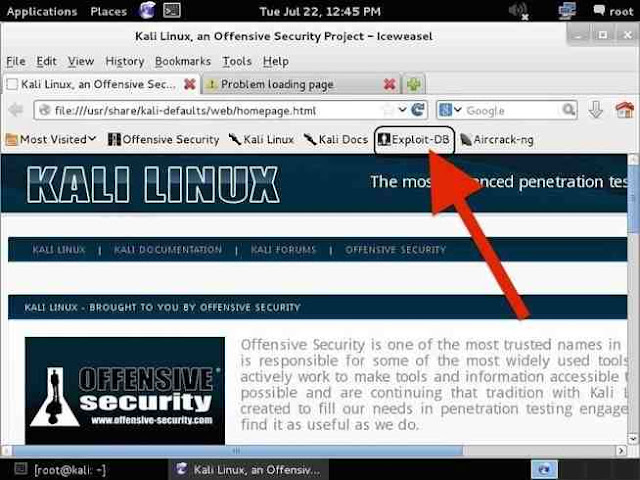
When we click on it, it takes us to the Exploit Database, as seen below.

If you are not using Iceweasel and its built-in shortcut, you can navigate to Exploit-DB by typing www.exploit-db.com in the URL bar.
Step 2: Search the Exploit Database
If we look at the top menu bar in the Exploit Database website, second from the right is a menu item called "Search". When we click on it, it enables us to search the database of exploits and returns a search function screen similar to the screenshot below.
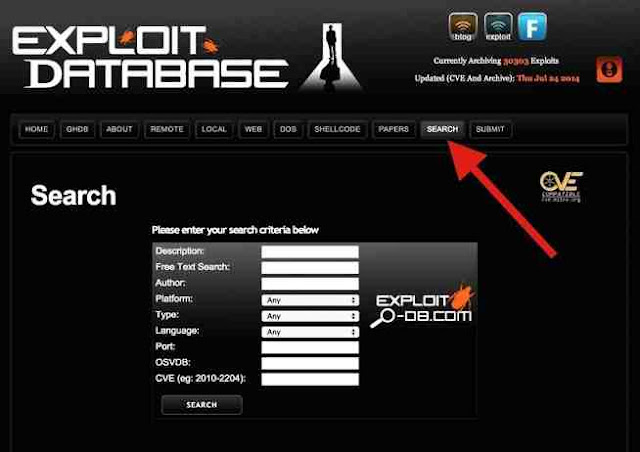
Lets use this search function to find some recent Windows exploits (we are always looking for new Windows exploits, arent we?). In the search function window, we can enter any of the following information;
- Description
- Free Text Search
- Author
- Platform (this is the operating system)
- Type
- Language
- Port
- OSVDB (the Open Source Vulnerability Database)
- CVE (Common Vulnerability and Exploits)
The last two fields can be used if you are specifically looking for an exploit that takes advantage of a known, numbered vulnerability in either of those databases.
In the Platform field, enter "Windows", in the Type field, enter "remote", and in the Free Text Search box, enter "Office". When we do so, the Exploit Database returns a list and a link to all of the exploits that meet those criteria. Of course, you can put in whatever criteria you are searching for. I am only using these as an example.

Step 3: Open an Exploit
From the search results page, we can click on any of the two pages of search results and it will take us to the particular exploit. I clicked on the very first exploit in the list "Internet Explorer TextRange Use-After Free (MS14_012)". When I do so, I am brought to a screen that displays the exploit code like that below. I have circled the description in the code of the exploit.
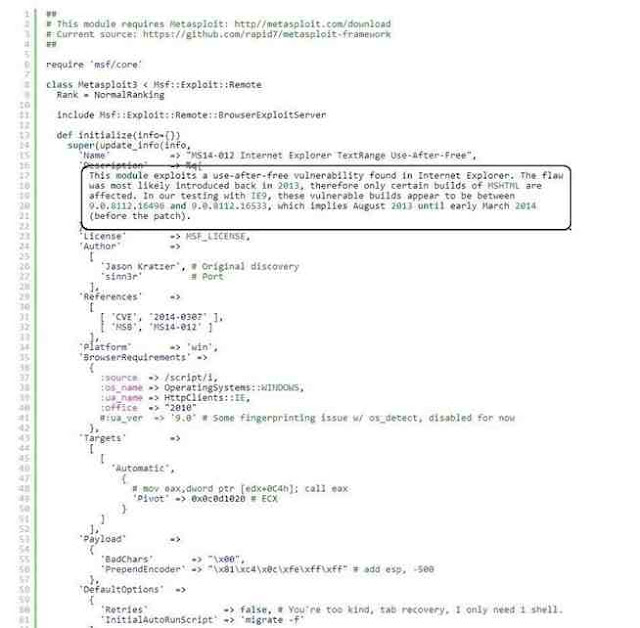
This exploit works against Internet Explorer that was built between August 2013 and March 2014. If you want to use it, you can simply copy and paste this text file and put it into the exploit directory in Metasploit (if you are using an up-to-date version of Metasploit, it is already included). This is a good example of how specific an exploit can be.
Step 4: Open Up Searchsploit
Kali, having also been developed by Offensive Security, has built into it a local database of exploits based on the same Exploit Database. We can access it by going to Applications -> Kali Linux -> Exploitation Tools -> Exploit Database and clicking on searchsploit as shown below.
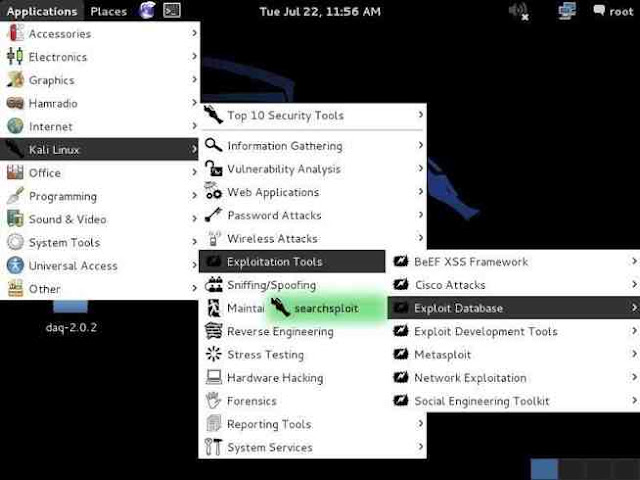
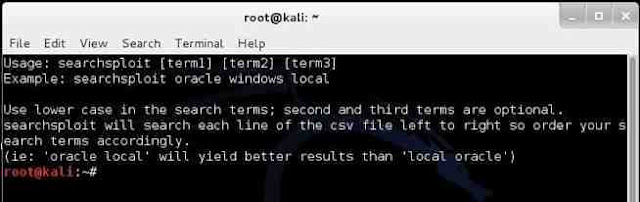
It will open a screen like that below that details the basic syntax on how to use searchsploit. Note that it explains that you must use lowercase search terms and that it searches a CSV (comma separated values) file from left to right, so search term order matters.
Step 5: Search the Exploit Database with Searchsploit
Now that we have opened a terminal for searchsploit, we can now use this tool to search our local copy of the Exploit Database. As you might expect, our local copy of the exploit database is much faster to search, but does NOT have all the updates that the online database does. Despite this, unless we looking for the very latest exploits, the local database works fast and is effective.
One other note on its use. As the information is organized in CSV files, searches locally often will yield results slightly differently than the online database. In the screenshot below, I searched for "Windows" and "Office" and only received a single result, unlike what I received when I used the online database.

Exploit Database is an excellent repository for exploits and other hacks that we might need, including new Google hacks, white papers on security and hacking, denial of service (DOS) attacks, and shellcode that you can use out the box or tailor for your unique attack.
Recommended Articles To Become A Hacker:
How To Become A Hacker - Basic Guide For Beginners 2015
Understand The Hacker Mindset To Become A Real Hacker
Programming Languages For Hackers And Learn It From Most 6 Helpful Websites
Installing Hackers OS Kali Linux In VMware (Beginners Guide With Screenshots)
Easy Steps to Create Web Penetration Testing Lab in Kali Linux
Introduction to using Metasploit in Kali Linux
An Introduction To Hacker’s OS: Kali Linux And Setup Tutorial.
Linux Powerful Distros For Hacking Or Security: Kali, Tails And Qubes
Become A Hacker: What Is Denial of Service (DoS) Attack?
Available link for download

Sunday, February 26, 2017
Kali Linux Tutorial Using Maltego Tool To Scan Network And Finding IP
Kali Linux Tutorial Using Maltego Tool To Scan Network And Finding IP

Using Maltego in Kali to Recon a Target Network
Step 1: Open Maltego & Register
Let’s start by firing up Kali and then opening Maltego. Here is a complete tutorial about hackers OS Kali Linux, so read this before you go ahead: An Introduction To Hacker’s OS: Kali Linux Setup Tutorial
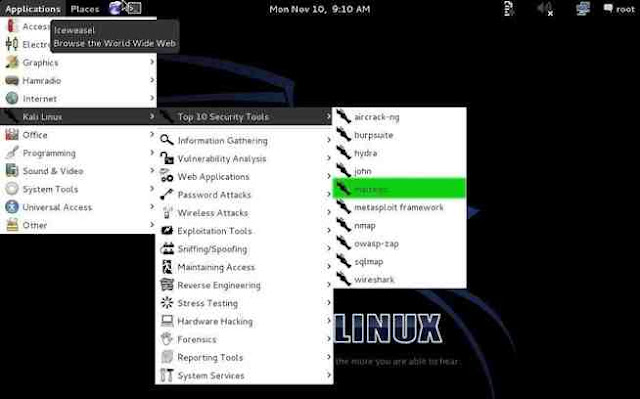
Maltego can be found in numerous places in Kali, but the easiest way to get to it is to go to Applications -> Kali Linux -> Top 10 Security Tools. Then, among the Top 10, you will find Maltego at number 5, as shown in the screenshot below.
When you open Maltego, you will need to wait a brief moment for it to startup. After it finishes loading, you will be greeted by a screen asking you to register Maltego.
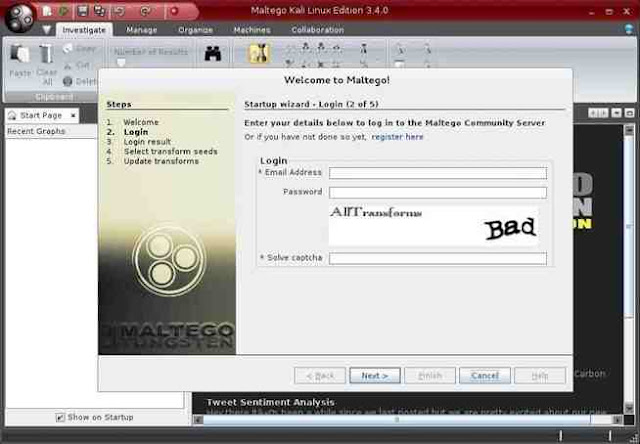
Go ahead and register and save and remember your password as you will need it again the next time you login into Maltego.
Step 2: Choose a Machine & Parameters
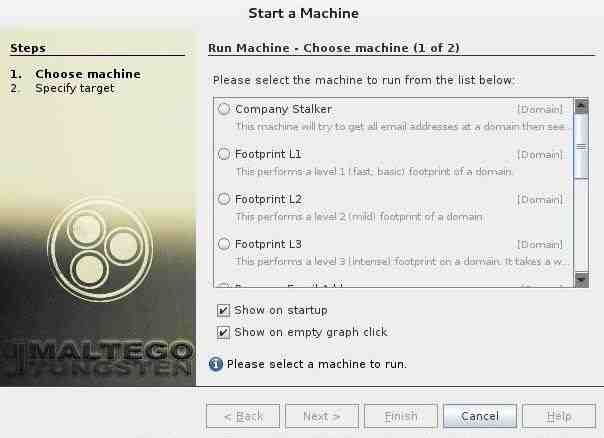
After successfully registering and logging into Maltego, we will have to decide what type of “machine” we want to run against our target. In Maltego’s parlance, a machine is simply what type of footprinting we want to do against our target. Here, we are focusing on the network footprinting, so our choices are:
- Company Stalker (this gathers email information)
- Footprint L1 (basic information gathering)
- Footprint L2 (moderate amount of information gathering)
- Footprint L3 (intense and the most complete information gathering)
Step 3: Choose a Target
Now, that we have chosen a type of machine for our footprinting, we will need to choose a target. Let’s choose our friends at SANS, one of the leading IT security training and consulting firms in the world.
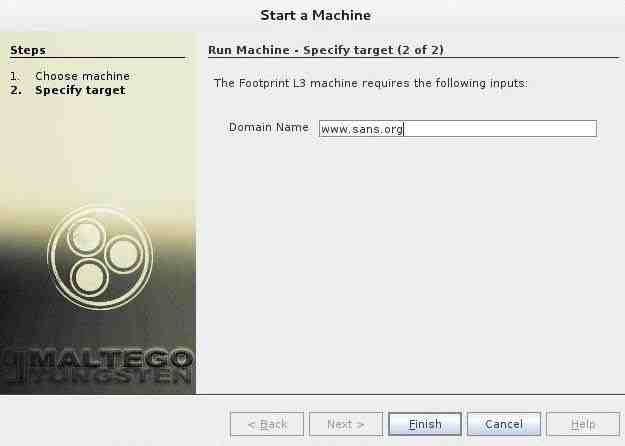
Now, click “Finish” and let Maltego do its work.
Step 4: Results
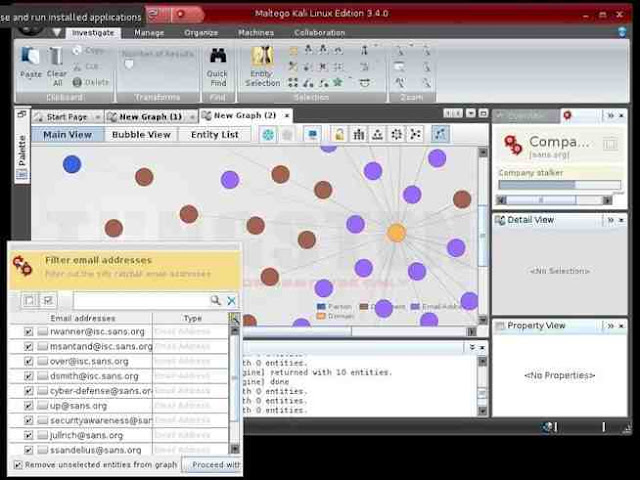
Maltego will now begin to gather info on our target domain, sans.org, and display it on screen. In the screenshot below, we can see that Maltego has already collected the email addresses from the site, while it collects the nameservers and mail servers.
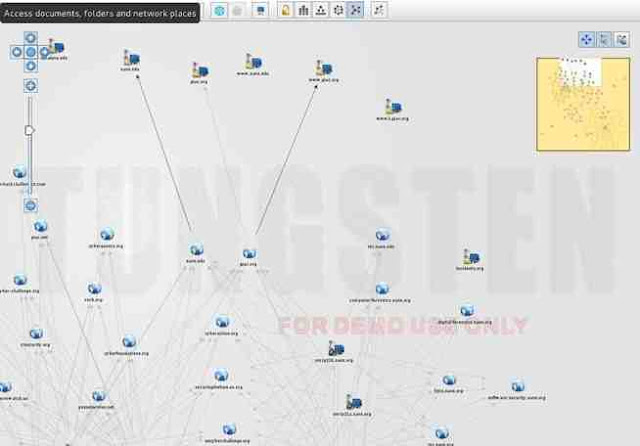
Finally, we can click on “Bubble View” when Maltego is done and see all of the relationships between our target and its subdomains and linked sites.
How to find IP address
By clicking left button of mouse drag the domain in Main view.
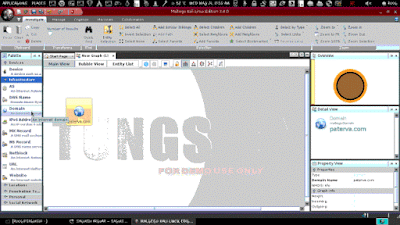
Double click on domain icon and rename it into your target domain. Here I am taking google.com as example.
Here we are searching for top level domain for our target domain. First right click on domain then
Run Transform ? All Transforms ? To Domain ( Find other TLDs)
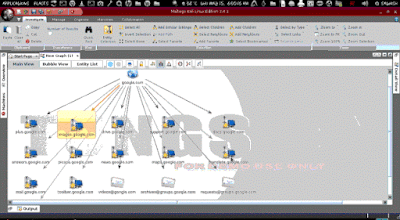
Here we got the result of TLD search.
Now we are to gain more information about these domains. First of all select all domains by dragging left mouse button or you can select one by one press Shift + left click.
After selecting all domains, right click one of them and then
Run Transform ? All Transforms ? To Website (Quick-Lookup)
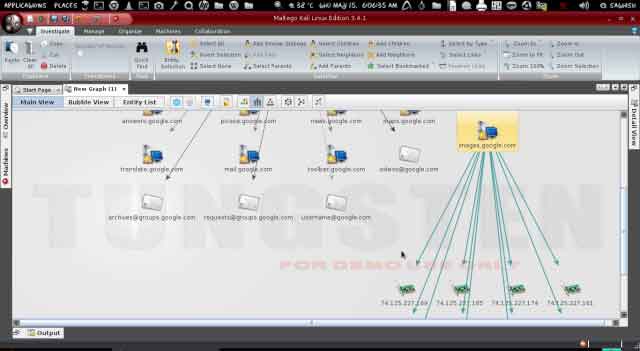
Here we are going to search all website which are associate with these domains.
Well here we are just replacing the a website icon I have targeted http://www.google.com for more info follow the image. This is not a necessary part but you should learn it.
Here we are going to find the IP address of our target website. Right click on target website then
Run Transform ? Resolve to IP ? To IP Address (DNS)
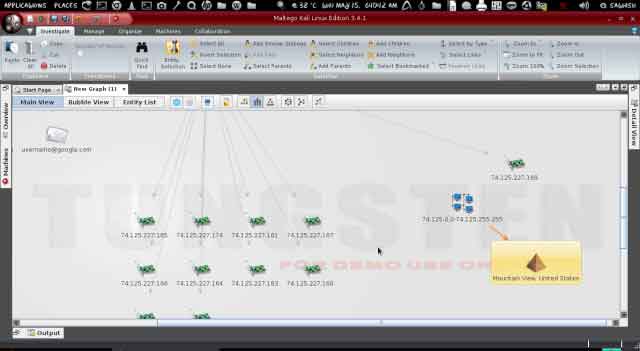
Here we got the IP address of our target website and the detail of where its located.
Conclusion
Maltego is an excellent tool to do network recon on our potential target, enabling us to do numerous types of recon in a single scan with a single tool. Maltego is also capable of doing individual recon, but we will leave that for my next Maltego article, see you my grey hats.Recommended Kali Linux Tutorials
- Kali Linux Tutorial: Hack A Web Browser Using BeEF
- Kali Linux Tutorial: How To Perform Evil Twin Wireless Access
- Kali Linux Tutorial: Hack a Website login Page Password Using Wireshark
- Kali Linux Tutorial: Finding Exploits Using the Searchsploit Tool
Available link for download
Subscribe to:
Posts (Atom)