Showing posts with label gathering. Show all posts
Showing posts with label gathering. Show all posts
Sunday, April 23, 2017
Kali Linux Tutorial Information Gathering Using TheHarvester
Kali Linux Tutorial Information Gathering Using TheHarvester

Also Read: Practical Tutorial For Best 15 Pentest Tools In Kali Linux 2.0
TheHarvester has been developed in Python by Christian Martorella. It is a tool which provides us information about e-mail accounts, user names and hostnames/subdomains from different public sources like search engines and PGP key server.
This tool is designed to help the penetration tester on an earlier stage; it is an effective, simple and easy to use. The sources supported are:
Google – emails, subdomains
Google profiles – Employee names
Bing search – emails, subdomains/hostnames, virtual hosts
Pgp servers – emails, subdomains/hostnames
LinkedIn – Employee names
Exalead – emails, subdomain/hostnames
New features:
- Time delays between requests
- XML results export
- Search a domain in all sources
- Virtual host verifier
Let’s get started,
If you are using Kali Linux, open the terminal and type theharvester
Also Read: An Introduction To Hacker’s OS: Kali Linux Setup Tutorial
If not then it can be easily downloaded from here: https://github.com/laramies/theHarvester
Simply Download and extract it
Provide execute permission to: theHarvester.py by [chmod 755 theHavester.py]
Then simply run ./theharvester
You will see similar to this:
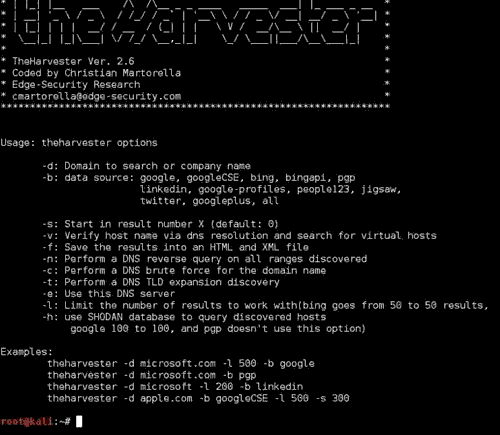
Here I am using kali linux.
Method:1
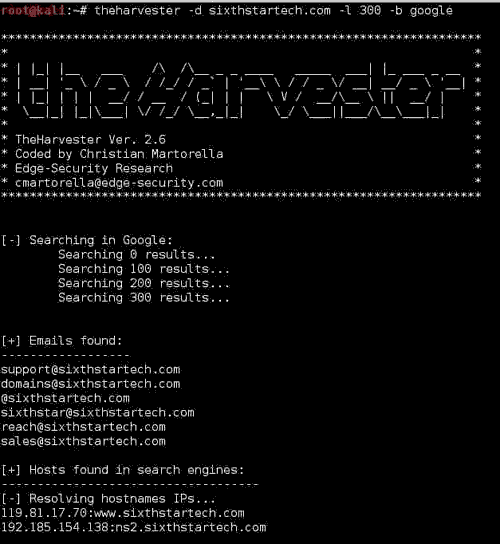
You can simply use the commandtheHarvester -d [url] -l 300 -b [search engine name]
For example: theHarvester -d sixthstartech.com -l 300 -b google
Which will result as in the screenshot below:
Method:2
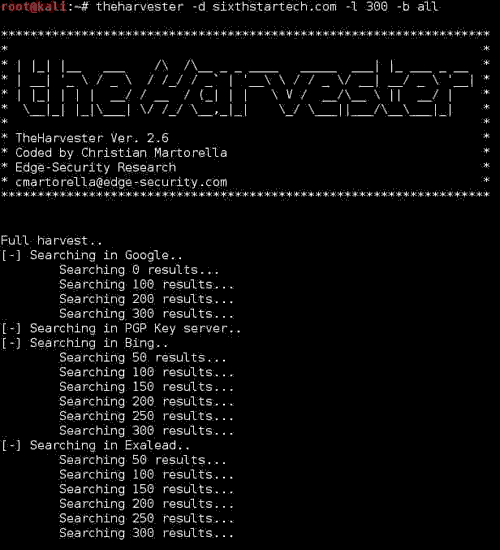
To get all the information about the website u can use the command as:theHarvester -d sixthstartech.com -l 300 -b all
Which will result as:
Method:3
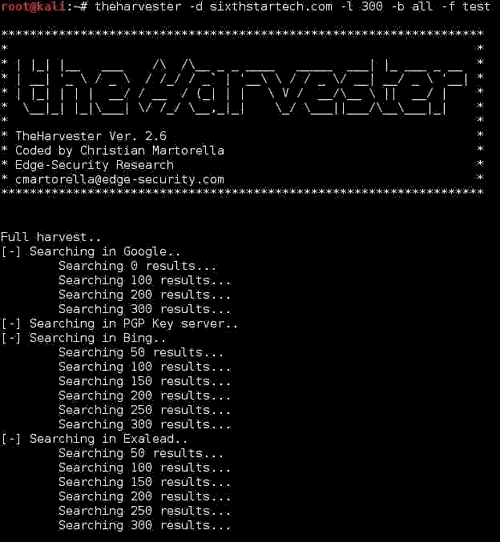
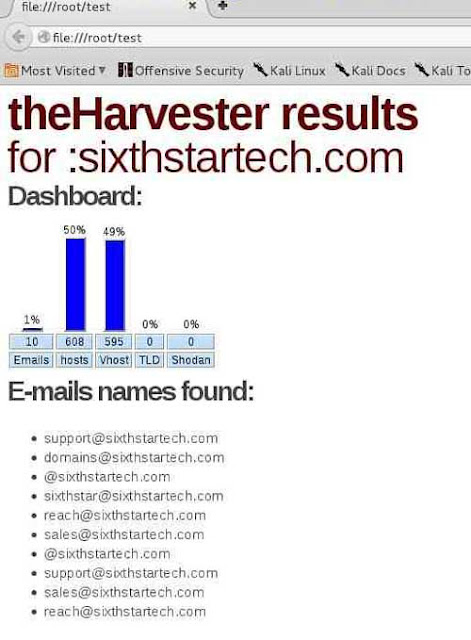
To save the result in HTML file you can use –f option followed by a file name,Example:
theHarvester.py -d sixthstartech.com -l 300 -b all -f test
The result in HTML File:
That’s it and hoped this helped you!!
Thank you.
Also Read:
- Kali Linux Tutorial: Find Vulnerabilities for Any Website Using Nikto
- Improved Features Of New Kali Linux 2.0 And How To Upgrade To It
- How to Setup Nessus in Kali Linux - Most Used Vulnerability Scanner in 2015
Available link for download

Subscribe to:
Posts (Atom)